← Back to Help Center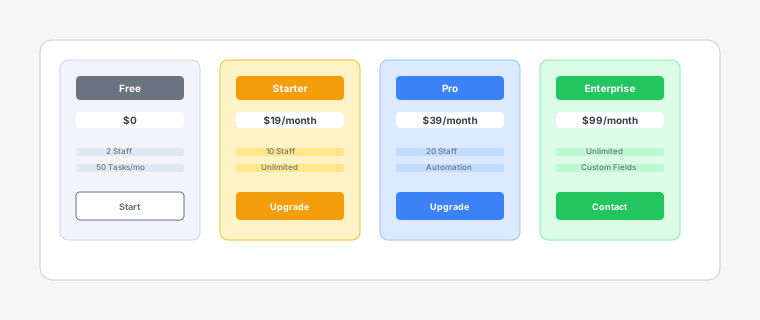
Billing management interface showing plan selection and subscription details
Billing and Subscription
3 min read
Manage your subscription and resolve billing issues with ease.
Steps
- 1
Open the app and go to More → Billing (or Settings → Manage billing).
- 2
Compare Free, Starter, Pro, and Enterprise plans. Click Upgrade on the plan you want. Shopify will show the subscription approval screen.
- 3
After you approve, the new plan activates immediately. Usage limits (staff count, tasks per month) update right away.
- 4
To cancel or downgrade, return to Billing, choose another plan, or click Cancel subscription. Changes apply through Shopify billing.